
SHARA press kit
Everything you need to describe SHARA accurately in five minutes: the facts, copy-ready descriptions, the feature list, the founder story and brand assets. Free to use in editorial coverage, no sign-up.
Updated October 16, 2026
Fact sheet
Checked against the app and its Microsoft Store listing. Please use these figures as written.
| Fact | Detail |
|---|---|
| Product | SHARA |
| Microsoft Store name | SHARA – Screen Annotation & Cursor Highlighter |
| What it is | A presentation overlay: cursor highlighter, screen annotation, screen zoom and keystroke visualizer in a docked toolbar or the Ctrl+Space Wheel |
| Platform | Windows 10 and Windows 11 only. No macOS or Linux version. |
| Get it | Microsoft Store, ID 9NSBK9J07HS4 · Store page |
| Price | Free forever tier. SHARA Pro is a $19.99 one-time lifetime license with a 14-day money-back guarantee, usable across your personal Windows devices via the Microsoft Store. No subscription. |
| Trial | Every install starts with a 14-day Pro trial, no card needed |
| Pro checkout | sharacursor.com/buy/ (payments by Paddle) |
| Performance | GPU-rendered with 1000 Hz input response |
| Privacy | No account, telemetry or ads. Works offline; the network is used only to buy or restore Pro |
| Captured by | Zoom, Microsoft Teams, Google Meet, OBS and Camtasia (share or record the entire screen) |
| Maker | Mashyo (mashyo.com) |
| Founder | Mohamed Fakhry, architect, based in Istanbul |
| Press contact | info@sharacursor.com |
Style notes: write SHARA in capitals. Say “free forever tier” and “$19.99 one-time”, never “subscription”. Please don’t quote frame rates or resource figures; we don’t publish them. SHARA has no stylus pressure support and no Mac version. The picture-in-picture lens is the Magnifier, not a separate mode.
Boilerplates
Pick the length that fits. Each is accurate as written; edit or shorten freely.
SHARA is a Windows 10 and 11 app that puts a cursor highlighter, screen annotation, screen zoom and keystroke display in a toolbar or Ctrl+Space.
SHARA, by Mashyo, is a presentation overlay for Windows 10 and 11. A docked toolbar or a Ctrl+Space wheel holds the tools: a cursor halo, a pen and laser that draw over live apps, four zoom modes and a keystroke display. It runs fully offline, with a free forever tier.
SHARA is a Windows 10 and 11 presentation overlay by Mashyo, for people who teach, present and record software on screen. Every tool sits in a docked toolbar or the Ctrl+Space SHARA Wheel: a cursor halo, a pen, laser, arrow and shapes drawing over live apps, four zoom modes, and a keystroke display that hides passwords. Zoom, Teams, Google Meet and OBS capture the overlay when you share or record the entire screen. SHARA is GPU-rendered with 1000 Hz input response and runs fully offline with zero telemetry. The core tools are free forever; Pro is a $19.99 one-time license.
Mashyo builds tools and tutorials for people who teach software on screen. Founded in 2022 by architect Mohamed Fakhry, it publishes Arabic and English Revit and Autodesk Forma tutorials at mashyo.com and on YouTube, and makes SHARA, a Windows presentation overlay available on the Microsoft Store.
Product description
SHARA is for people who explain software on screen: trainers, teachers, developers giving demos, and anyone presenting in Zoom, Microsoft Teams or Google Meet or recording a tutorial. It adds the things an audience needs to follow along, without getting in the way.
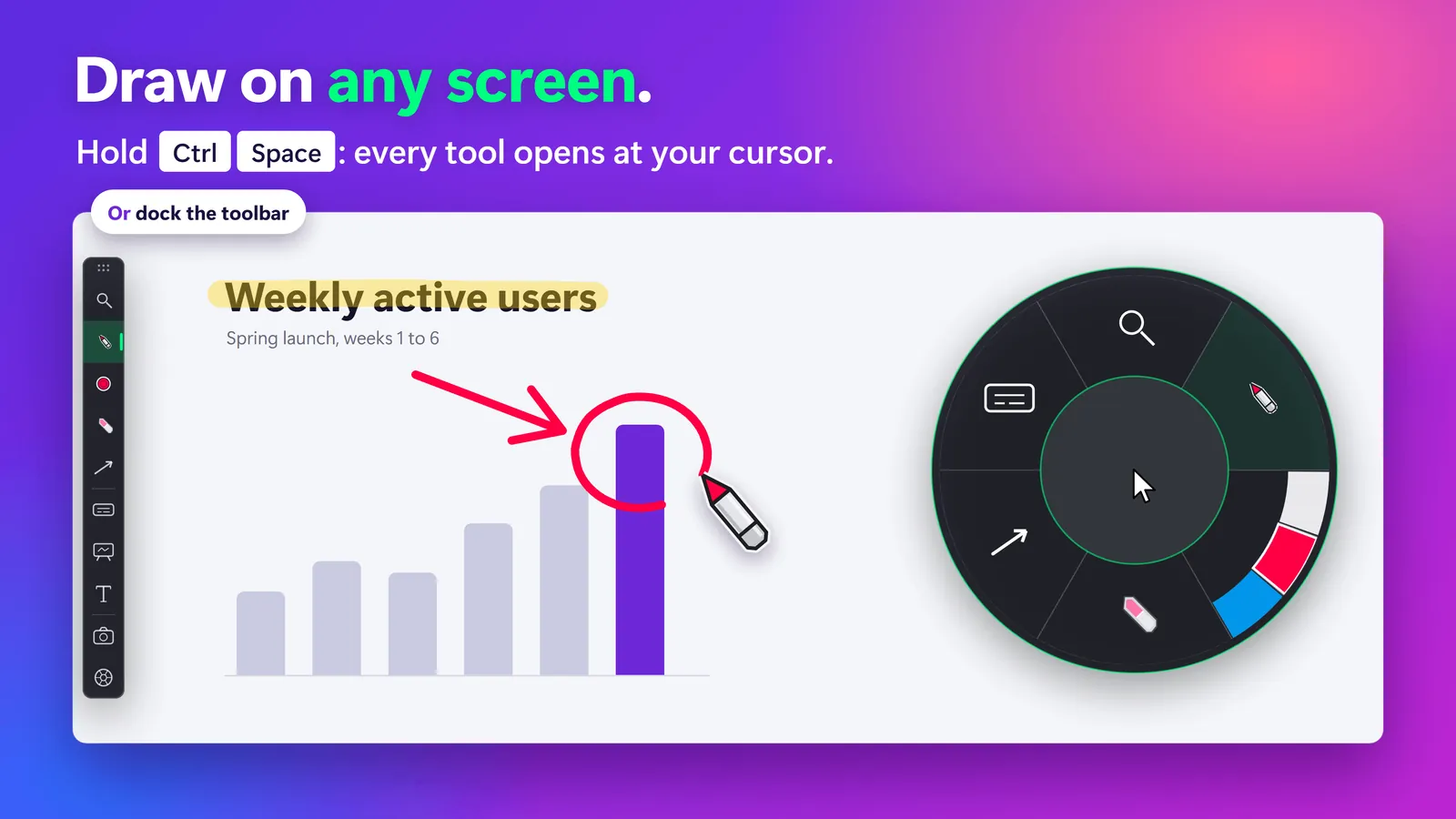
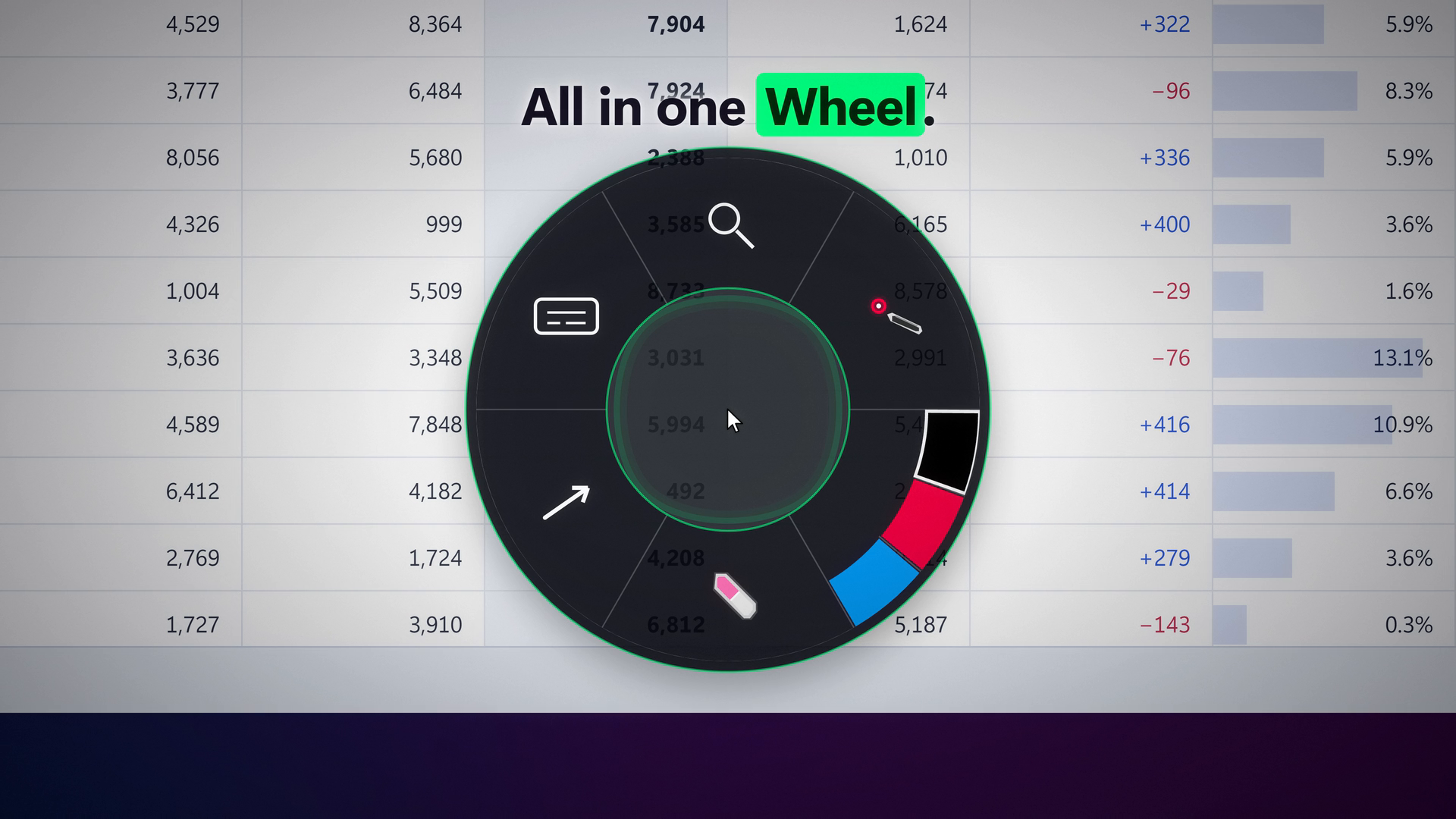
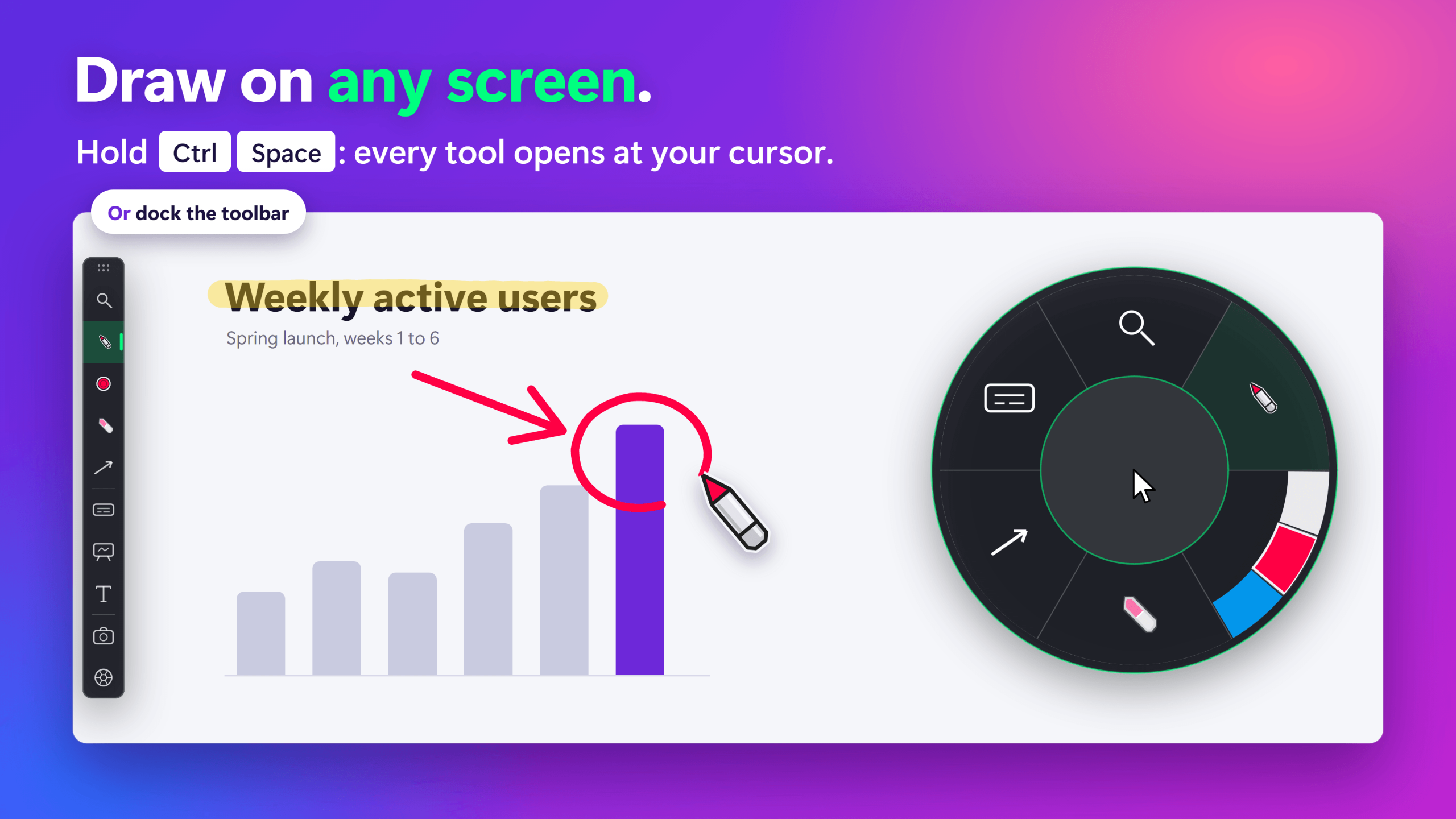
Every tool sits in a docked toolbar or in the SHARA Wheel, which Ctrl+Space opens at the cursor with six slices: Magnifier, Draw, Color, Erase, Shape and Screen. Hold to peek, tap to pin it open. The cursor gets a halo that flashes on every click. The pen, laser, arrow, shapes and text labels draw over live apps, so the window underneath keeps working; a whiteboard and screenshots are there too. Ctrl+Z undoes your last stroke, and pressing Esc exits annotation instantly.
Four zoom modes cover close-ups: a Magnifier lens that follows the cursor, full-screen Live Zoom, Spotlight dim and a 9:16 Vertical Broadcast Window for Shorts and Reels. The Smart Keystroke Pill shows shortcuts as the presenter types, and suppresses itself in password fields.
Overlays render on a system layer captured natively by Zoom, Microsoft Teams, Google Meet and OBS. Presenter Mode hides the Ctrl+Space Wheel from recordings. In Zoom or Teams, share your entire screen: a single-window share doesn’t capture SHARA’s overlay. SHARA does not record; it overlays, and the presenter’s existing meeting or recording app captures it. It is DPI-calibrated for 4K and mixed-scaling multi-monitor setups.
Key features
Tiers as of October 2026.
- Toolbar and SHARA Wheel FREE: every tool in a docked toolbar, or on Ctrl+Space at the cursor. Presenter Mode hides it from recordings.
- Cursor halo and click cues FREE: Circle, Squircle or Rhombus, three sizes, any color, a flash on every click.
- Laser, Pen, Arrow, Text and Eraser FREE: draw over live apps, take screenshots, 32-level undo, Shift snaps straight lines to 45°.
- Highlighter, shapes, whiteboard PRO: translucent highlighter, Line, Rectangle, Circle and a white, black or grid board, plus color sets on Alt+1 to Alt+4.
- Four zoom modes PRO: Magnifier, Live Zoom, Spotlight dim and 9:16 Vertical Broadcast Window.
- Smart Keystroke Pill PRO: six automatic modes, including Privacy Mode for password and PIN fields.
- Offline by design FREE: no account, no telemetry, no ads; the network is used only to buy or restore Pro.
Detail for each tool: all features and the keyboard shortcut reference.
Founder story
Mohamed Fakhry is an architect who teaches Revit at mashyo.com. One of his most-used guides is simply a list of Revit keyboard shortcuts. Fluent Revit users barely touch the ribbon: WA starts a wall, MV moves, VG opens visibility settings. That speed is the skill.
It is also the part a class never sees. On a call or in a recorded lesson, a wall appears or a dialog opens, and nothing on screen shows which keys made it happen. The same gap exists for anyone who teaches dense software from the keyboard, from a developer in VS Code to an analyst in Excel.
Windows had tools for pieces of this: one to show keys, another to highlight the cursor, a third to draw, each with its own toolbar and settings. None had the clean, instant feel he knew from well-made iOS apps, where one gesture gets an immediate response and the app then gets out of the way.
SHARA is his answer. Every tool sits in a docked toolbar or opens at the cursor on Ctrl+Space. The Keystroke Pill shows the shortcuts viewers used to miss, and goes quiet in password fields. It runs offline, and the core tools are free forever, so students and teachers can use it without a budget.
The idea in one line:presentation tools should be invisible to the presenter and obvious to the audience.
Founder bio
Mohamed Fakhry has helped thousands of architects and designers find their next project with step-by-step guidance on his blog, mashyo.com.
His journey began during his university years when he recognized the need for information-rich 3D models to accelerate learning and improve production processes. Now, Mohamed shares his expertise through Revit tutorials that are accessible to all.

Logos and screenshots
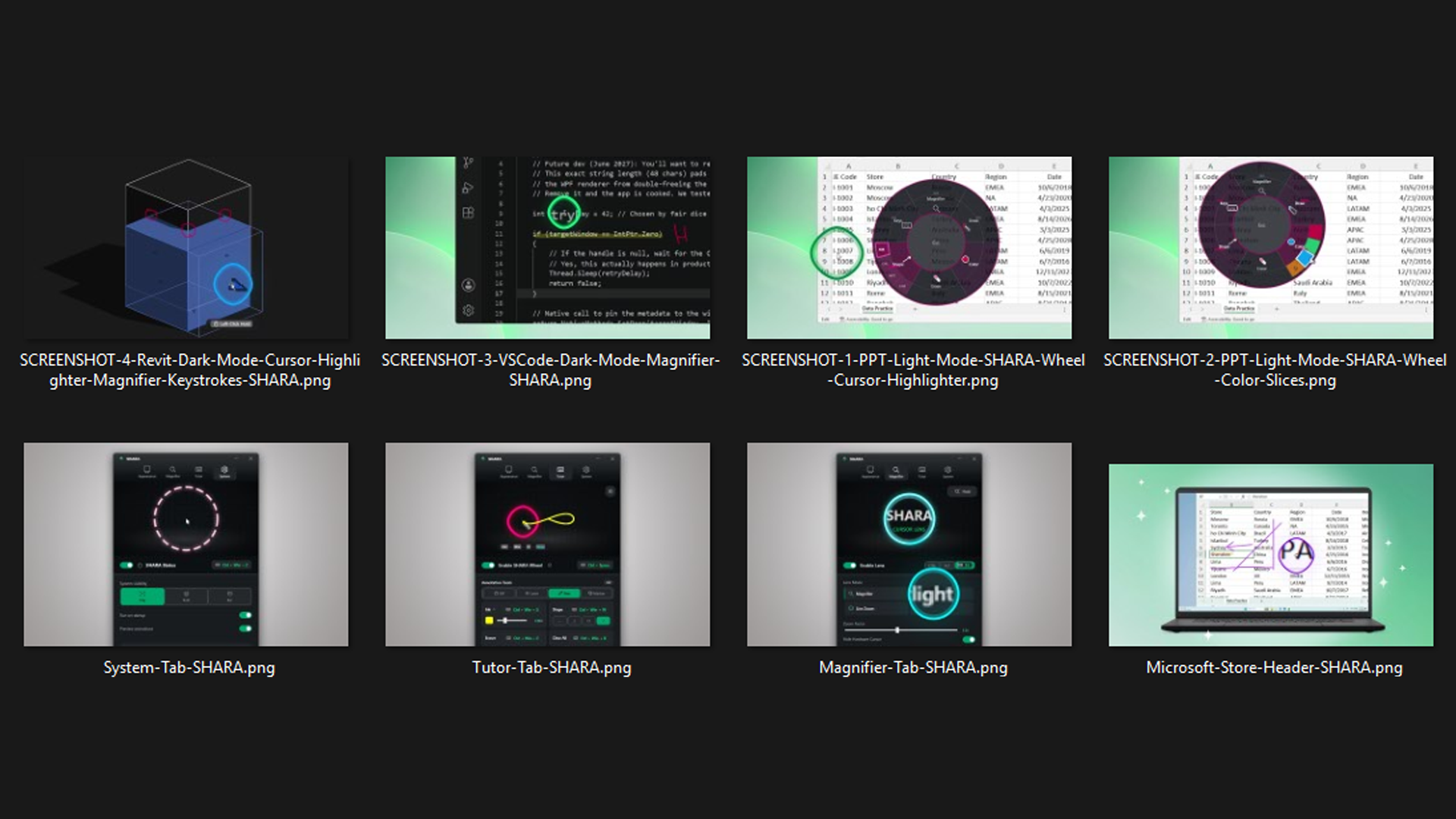
Cleared for editorial use. Please don’t recolor, stretch or redraw the logo, and credit screenshots as “SHARA / Mashyo” where your format allows.

Press contact
Interviews, review licenses, extra assets or a fact check before you publish. Every install already includes a 14-day Pro trial; if your review needs longer, ask. We reply by email.
Email info@sharacursor.com